Access to VDI (Remote Desktop Via Web App)
MoxieLink IT Support Team (File v1.0)
by Jose Cruz
1. Open this lin k on your web browser https://windows.cloud.microsoft
2. You will be redirected to this login page
3. Please log in with your provided Microsoft Credentials
4. After you have logged in, click on the "Moxie Health Virtual Desktop."
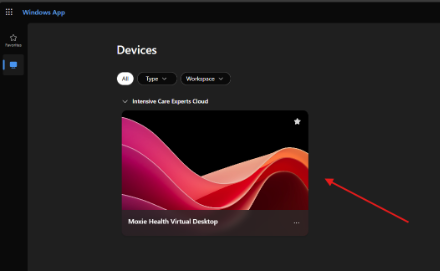
5. This will open up the VDI (Remote Desktop) login page
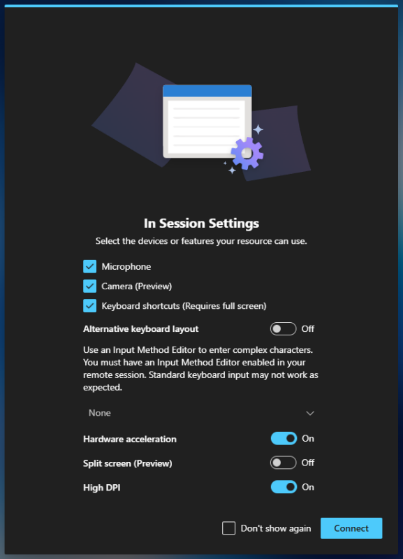
6. You will be requested for some necessary permissions in order for the VDI to work properly. Please enable them as in the picture below, also you can click on the "Don't Show Again" box for the permissions to be set up permanently.
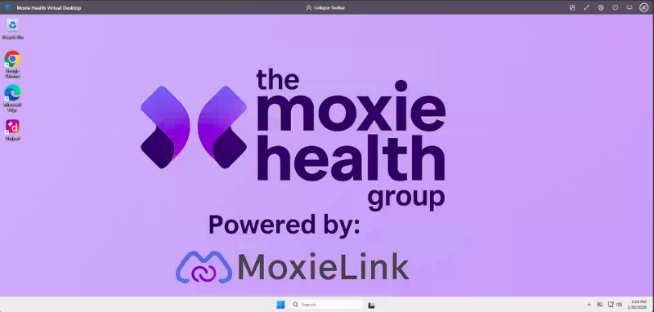
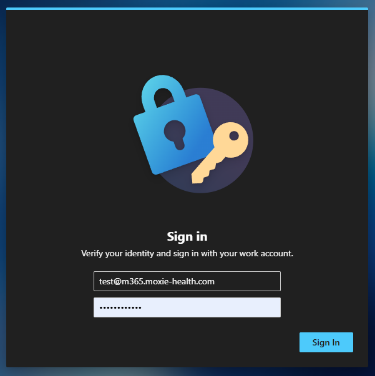
7. For security reasons, you will be requested again for your Microsoft credentials, and after clicking sign-in you will be successfully inside the remote.

Was this article helpful?
That’s Great!
Thank you for your feedback
Sorry! We couldn't be helpful
Thank you for your feedback
Feedback sent
We appreciate your effort and will try to fix the article